It is generally held that divorce in Islam is very easy; a man only has to say to his wife: “You are divorced,” three times and it’s all over.

Is it right that divorce is easy in Islam?
1- In reality, divorce is not that easy in Islam. There are conditions which must be fulfilled even before its proceedings can begin.
Firstly, divorce cannot be pronounced while a woman is menstruating. Prior to the beginning of the menstrual cycle, many women suffer mood swings and become cranky. The biological changes in their systems cause psychological changes that are commonly known as PMS (premenstrual syndrome). In order to ensure that the cause of the husband pronouncing divorce is not a product of behavioral changes brought on by PMS, divorce pronouncement during menses is prohibited.
Secondly, the divorce cannot be pronounced during a period between menses in which the couple has had sexual relations. The rational being that if the man cared enough about the woman to have sexual relations, he needs to reflect about his decision more before going ahead. He will have to wait until after the woman’s next menses ends, before he can pronounce divorce.
2- The pronouncement is considered invalid if the man was in such a rage that he did not know what he was saying. This is based on the Prophet’s statement, “The divorce pronouncement is not valid at the time of (mental) seizure.”
3- After the pronouncement, the divorce does not come into effect until the woman has had three subsequent menstrual cycles. The first cycle is to insure that she is not pregnant and the second two are further opportunities for reconciliation. She is not supposed to leave her home as is common among Muslims today. The husband is required to continue to maintain her until the waiting period (`iddah) ends.
4- If a woman is pregnant at the time of the pronouncement, her `iddah is until she has delivered her child. This principle gives the maximum amount of time for reconciliation in order for the welfare of the child to be reflected upon.
5- In the final analysis, divorce proceedings are somewhat easier than in many Western countries (a notable exception being the well-known “Mexican divorce”) which can be concluded in a matter of minutes). The theory being that marriage in Islam is primarily a contract and not a sacrament as originally perceived in the West where it was considered unbreakable (and remains as such among Catholics).
Consequently, if the contract was entered into with a verbal statement of “I do,” and witnesses, it should be dissoluble with the statement “I don’t,” and witnesses.
Divorce Is Not Only the Man’s Right
Muslim women are often portrayed as being oppressed due to their being denied the right to divorce.
1- The pronouncement of divorce (talaq) is primarily the right of the husband as he is in the position of authority in the family. Also PMS considerations and the emotional nature of women could cause a greater incidences of divorce if it were put the hands of the wives as an automatic right.
2- The wife may institute divorce proceedings by making her request through the court. If the judge sees just cause or a real need on her part, he can act on her behalf and institute the khula’ divorce which has a waiting period of only one menstrual cycle.
3- A woman can obtain the right to pronounce divorce if it is made a condition in her marriage contract which her husband agrees to. She may also gain the right by requesting her husband’s permission at any point during the marriage. If permission is given she may pronounce divorce according to the previously mentioned conditions.
_________________________
The article is excerpted from the book Da`wah Training Course by Dr. Bilal Philips.
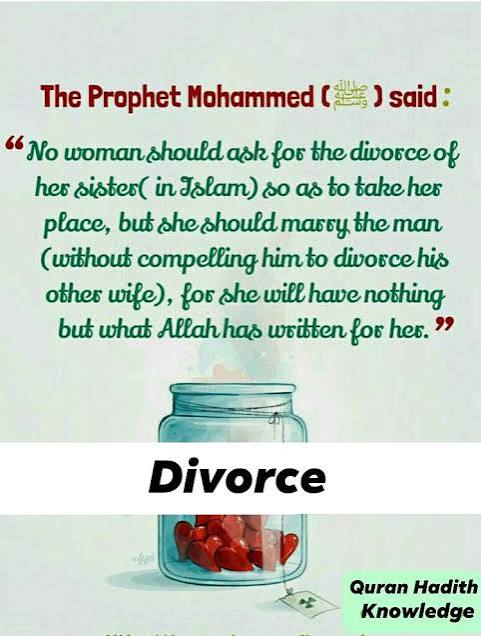
Woman asking for a Divorce for No reason Paradise will be Forbidden to her;
QUESTION:
I read a Hadith ” women who seek divorce without reason will not even get the fragrance of paradise” What reasons are considered valid?
ANSWER:
If he is not financially supporting her, if he is not practicing Islam or making sins that affect her or if he has characteristics that she can not live with, all these are legitimate reasons.
O Prophet! ˹Instruct the believers:˺ When you ˹intend to˺ divorce women, then divorce them with concern for their waiting period, and count it accurately. And fear Allah, your Lord. Do not force them out of their homes, nor should they leave—unless they commit a blatant misconduct. These are the limits set by Allah. And whoever transgresses Allah’s limits has truly wronged his own soul. You never know, perhaps Allah will bring about a change ˹of heart˺ later. Tafsirs Lessons Reflections Qira’atHadith
https://quran.com/at-talaq?startingVerse=2 – Chapter Divorce – Quran Kareem;
#Divorce #Islam #Reasons #Man and #Woman